Workflow Editor @ Rewst

Description
A visual, low-code enterprise tool for building and managing automated IT workflows.
Context
Rewst's workflow editor had accumulated significant UX debt after years of developer-led iteration, resulting in a complex and fragmented experience. I led a complete redesign of the core product and its design language, rethinking the workflow canvas, navigation, visual structure, and underlying mental models. I simplified interactions, clarified concepts, and unified the experience into a cohesive, intentional system that replaced the original editor and established a stable foundation for the product going forward.
Role
Senior Product Designer
Skills
User ResearchProduct StrategyUX DesignUI DesignPrototypingDesign SystemTools Used
FigmaNotionWhimsicalShortcut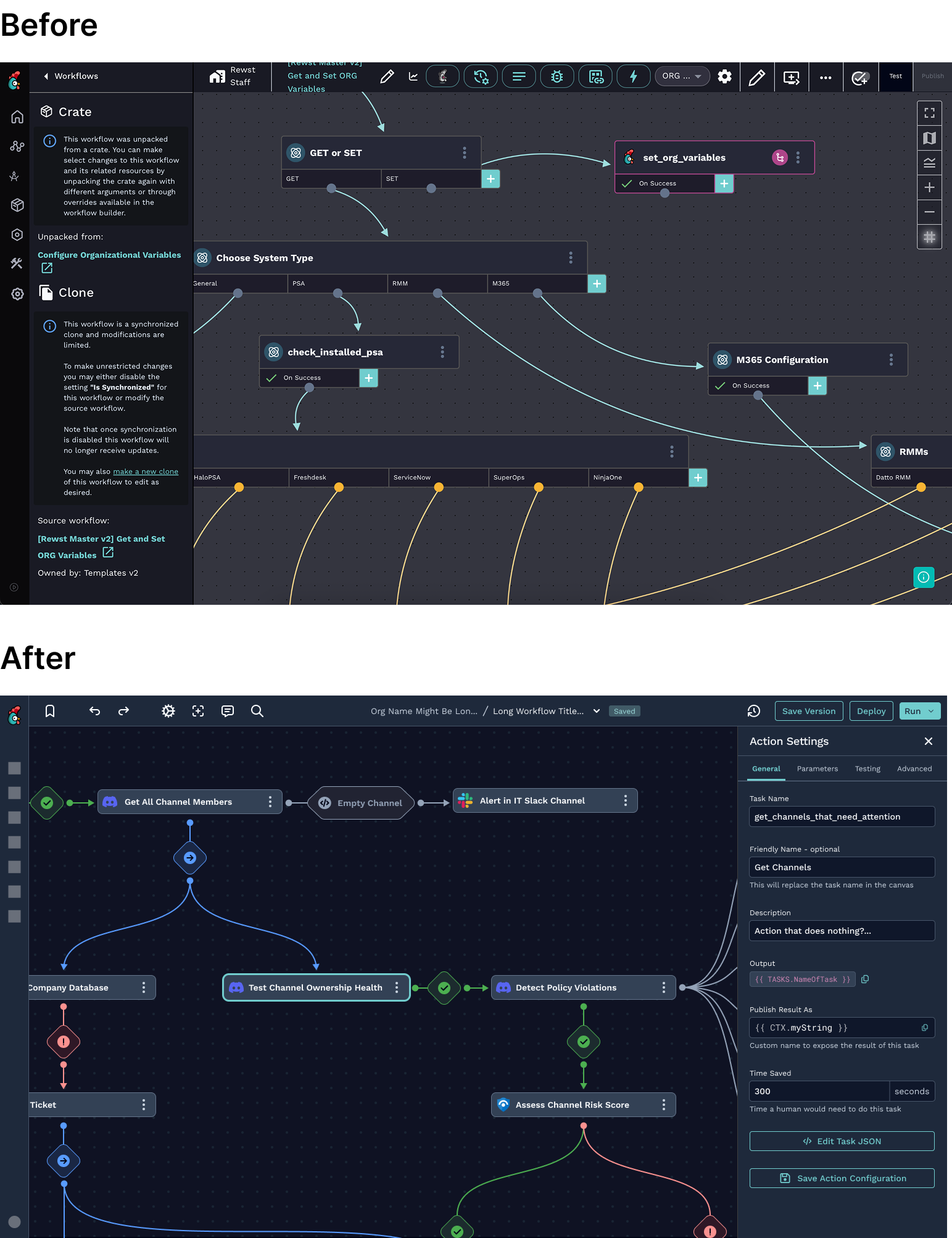
Goal
Making IT Automation Easy.
The Workflow Editor redesign began with a mission to simplify the complex world of automation for users. By centering the design approach on intuitiveness and accessibility, the goal was to create a tool that enables users to build, visualize, and manage workflows as easily as possible. The goal was to make automation as straightforward as possible, allowing users to focus on their objectives rather than navigating a complicated interface.
Process
Crafting a User-Centered Workflow Canvas.
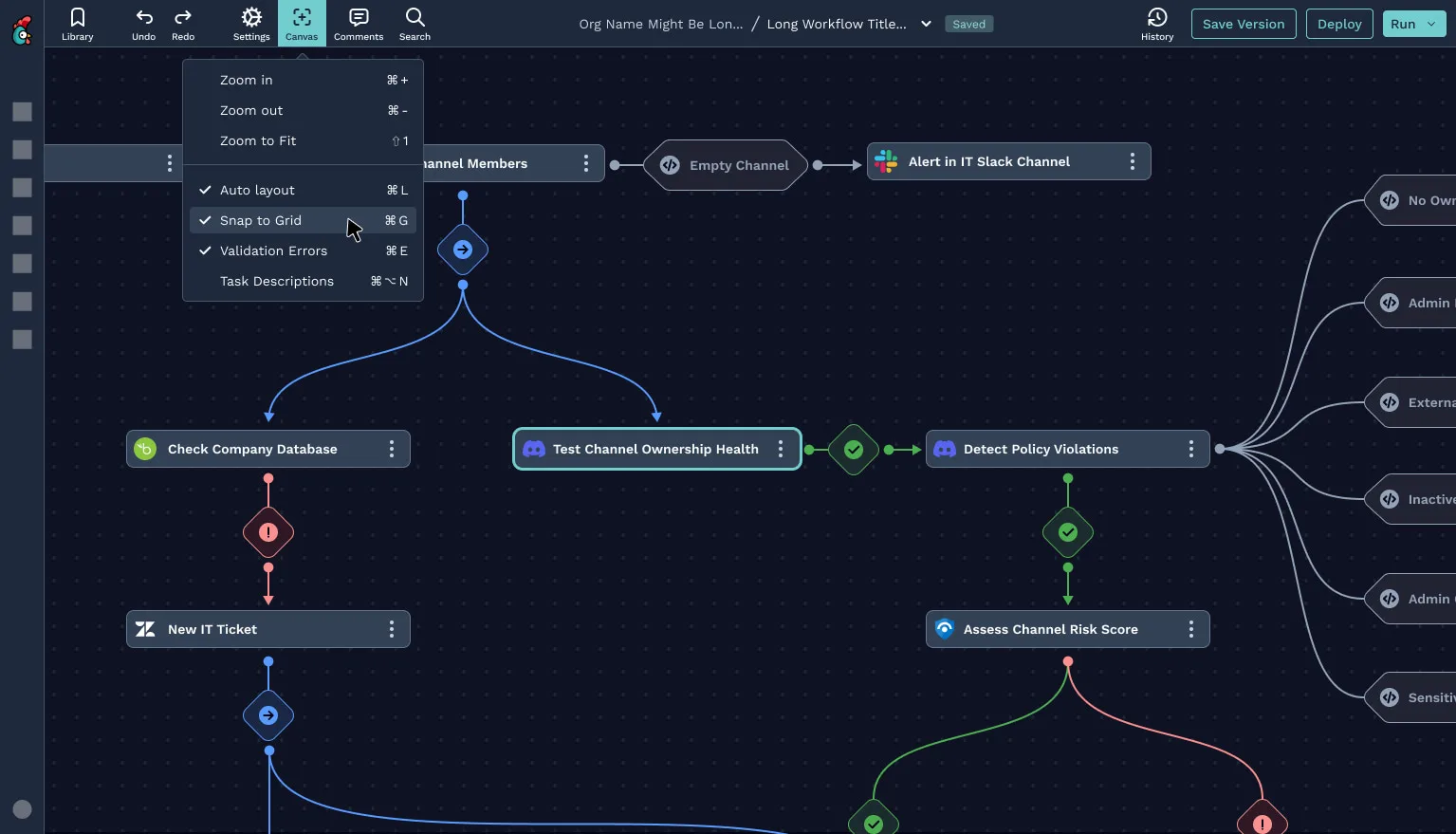
At the heart of the redesign is the workflow canvas: a space that allows users to organize and visualize their automation steps. By rethinking this interface, I emphasized a clean and organized layout where users could drag, drop, and connect actions seamlessly. Every design choice, from the placement of elements to the interaction flows, was driven by the need to reduce friction and provide a clear visual representation of even the most complex workflows.
Process
Building a Visual Language for Complex Processes.
To make the Workflow Editor approachable and consistent, I developed a visual language that aligns with the brand while enhancing usability. This included creating a cohesive set of icons, colors, and layout guidelines that communicate function intuitively. Each visual element, from action icons to transition arrows, was carefully crafted to guide the user journey through their workflow. This visual language establishes familiarity, supporting both new and experienced users in navigating the editor confidently.
Insights
Empowering Users with Actionable Insights.
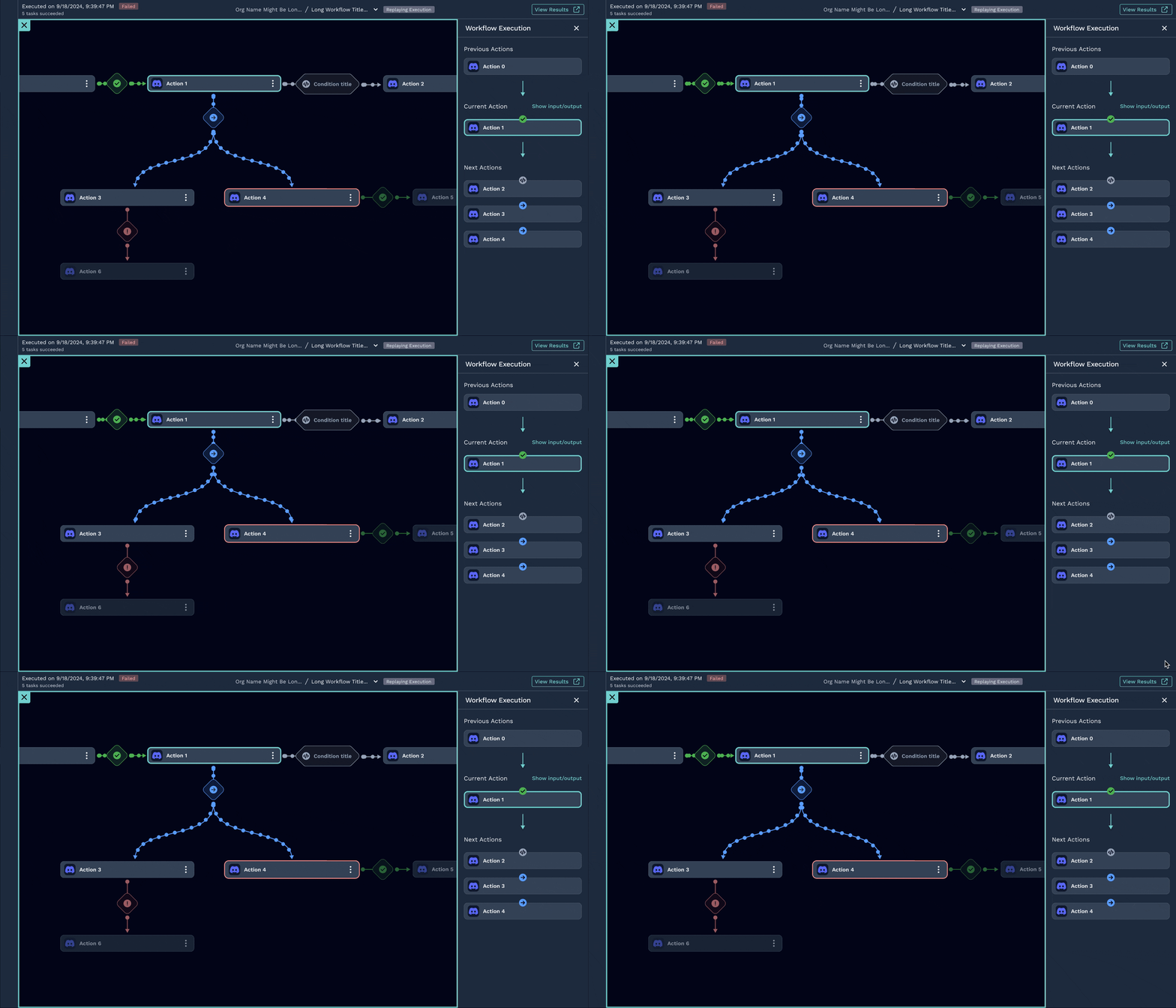
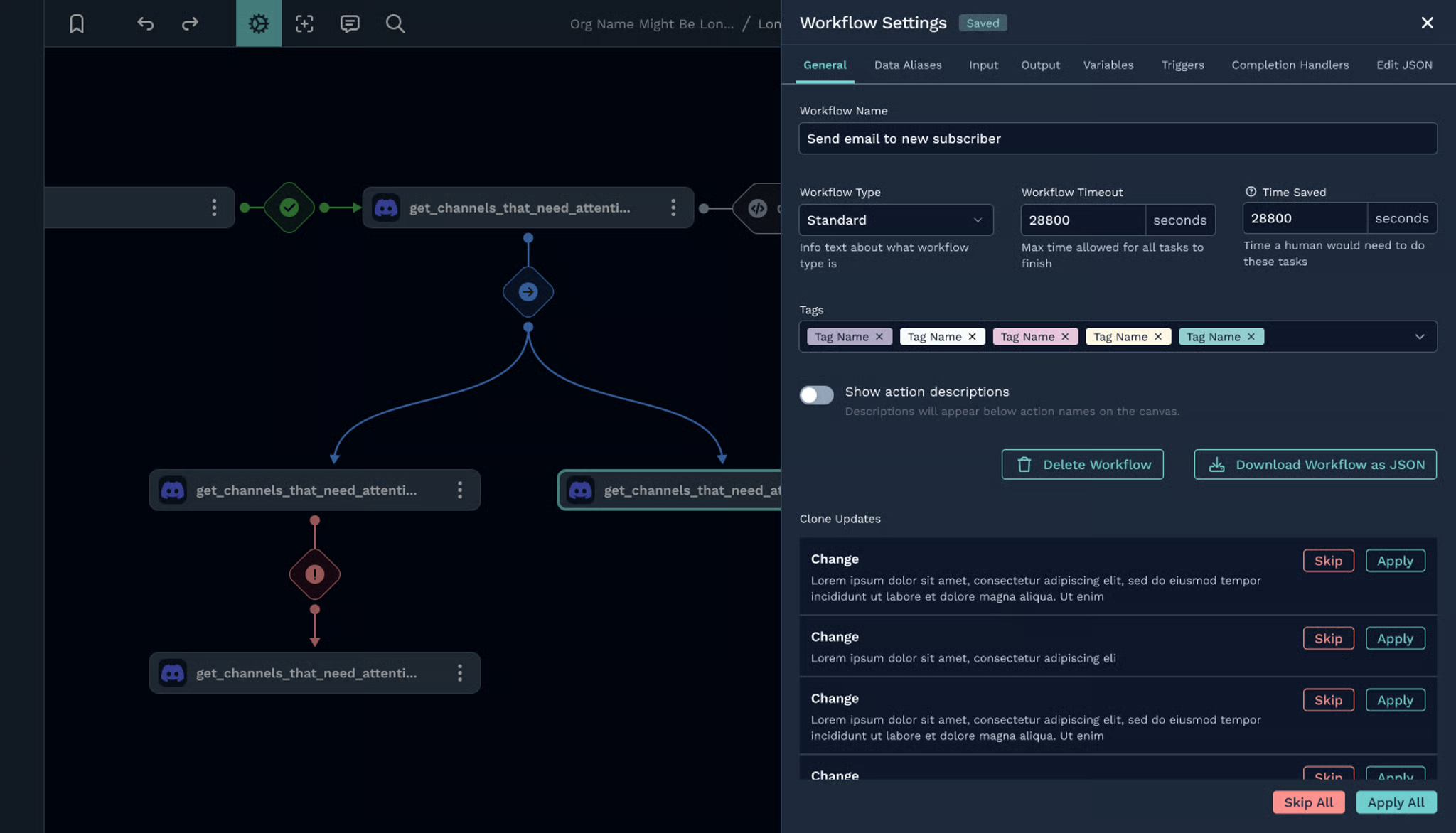
A key part of the redesign involved giving users real-time insights into their workflows. By incorporating live execution data and visualization features, users can immediately understand how their workflows are performing, pinpoint areas for optimization, and troubleshoot issues. This data-first approach allows users to take action with confidence, leveraging insights to streamline their processes and achieve more efficient outcomes.
Navigation
Focusing on Efficiency.
To keep users focused on their goals, I refined the navigation system to provide quick access to essential tools and actions. From the action library to the “Run from Here” function, every element in the Workflow Editor is organized to support a seamless workflow-building experience. By reducing unnecessary steps and improving the discoverability of tools, I created a more productive environment that allows users to focus on building rather than searching.
Optimization
Scalability and Performance.
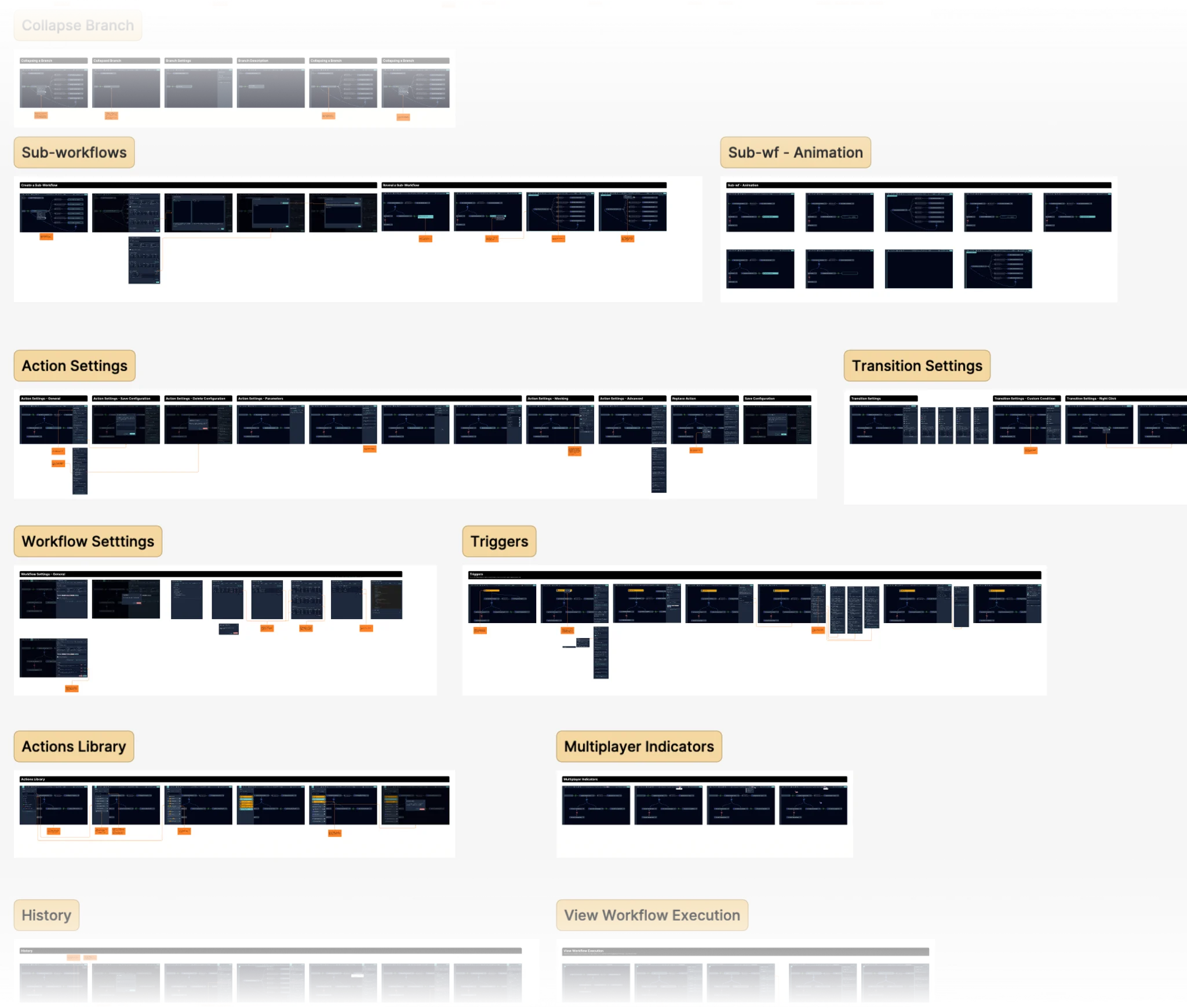
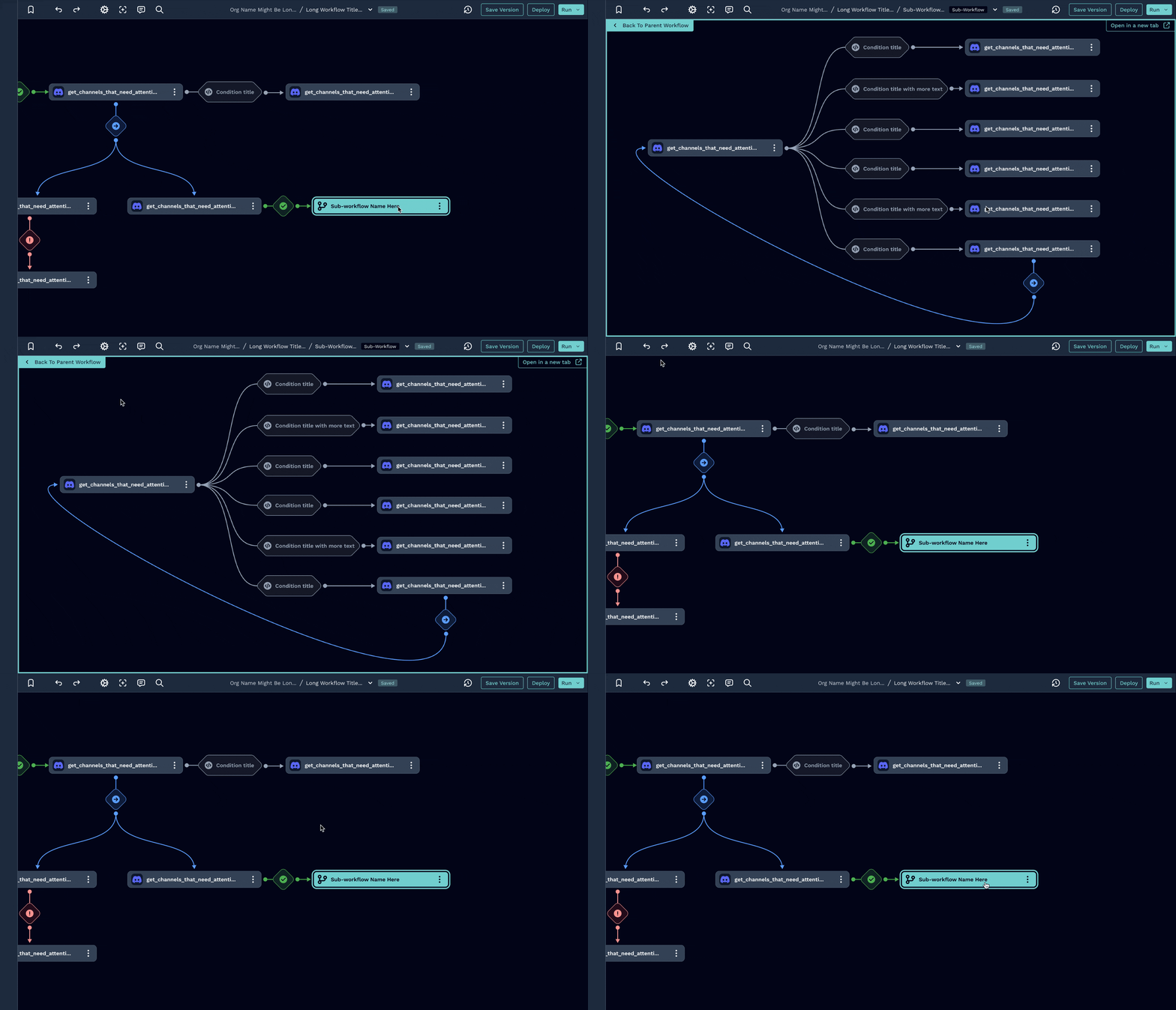
For workflows that grow in complexity, I worked on a visual solution to nest workflows, making it possible for a user to visually understand the structural logic of their automations. On top of that, performance and flexibility become paramount.
The redesign I carried addressed scalability challenges by optimizing the canvas performance, improving load times, and allowing for more robust error handling. These adjustments allow users to create workflows of any scale without experiencing lag or disruption, which offers them a platform that grows with their needs and maintains high responsiveness.
Multiplayer
Designing for Collaboration.
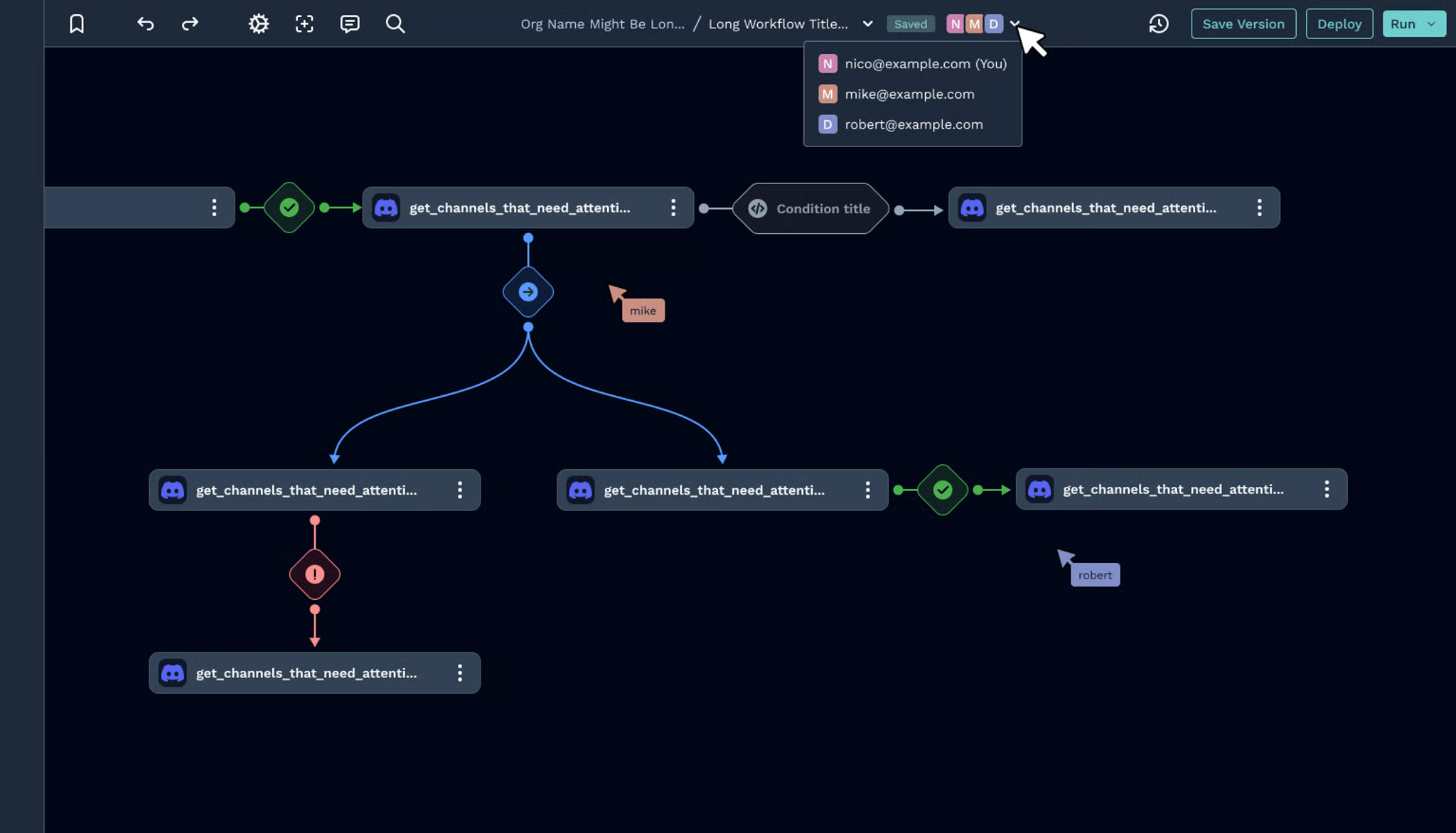
The Workflow Editor is designed to serve a diverse user base: from technical power users to those completely new to automation. By building features like collaborative editing, customized templates, and modular workflows, I aimed to make the editor adaptable for users at all experience levels. This collaborative-first approach provides a flexible framework that can support individual customization while facilitating teamwork, making the Workflow Editor an inclusive tool for everyone.